Actually native
Swift and SwiftUI, with no Electron runtime or third-party dependencies.
 Gitify Native
Native GitHub notifications for macOS
A fast, lightweight menu bar app built with SwiftUI. See what needs your attention without living in a browser tab.
Universal app for Apple silicon and Intel · macOS 14+
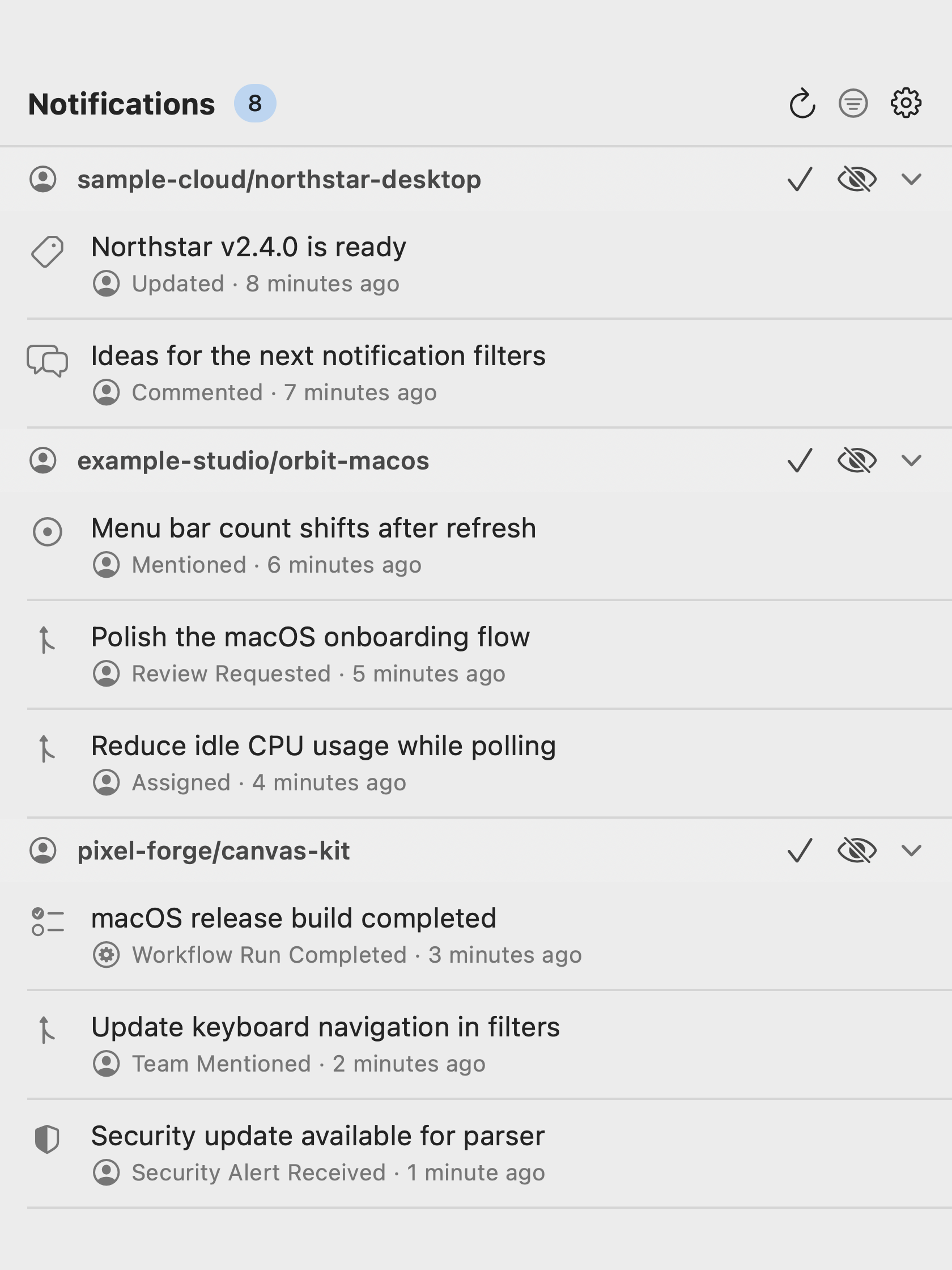
Everything essential
Gitify Native keeps the useful parts close and the resource usage low.
Swift and SwiftUI, with no Electron runtime or third-party dependencies.
Starts with your Mac by default, with a simple toggle when you want otherwise.
Keep personal, work, and GitHub Enterprise notifications together.
Focus by repository, organization, author, reason, type, or state.
Get macOS banners and sound, then open the exact thread in one click.
Checks GitHub Releases and verifies signed updates before installing them.
A familiar Mac install
Get the latest Gitify.dmg from GitHub Releases.
Move Gitify into the Applications shortcut in the disk image.
Open Gitify, sign in, and find it in your menu bar from then on.
Universal build for Apple silicon and Intel.
Some development releases may be ad-hoc signed. If macOS reports one as damaged, follow the one-time Gatekeeper instruction in the release notes.